Home › Channels
Transcode: several qualities (adaptive HLS)
1080p, 720p, 480p... so viewers on slow internet do not buffer
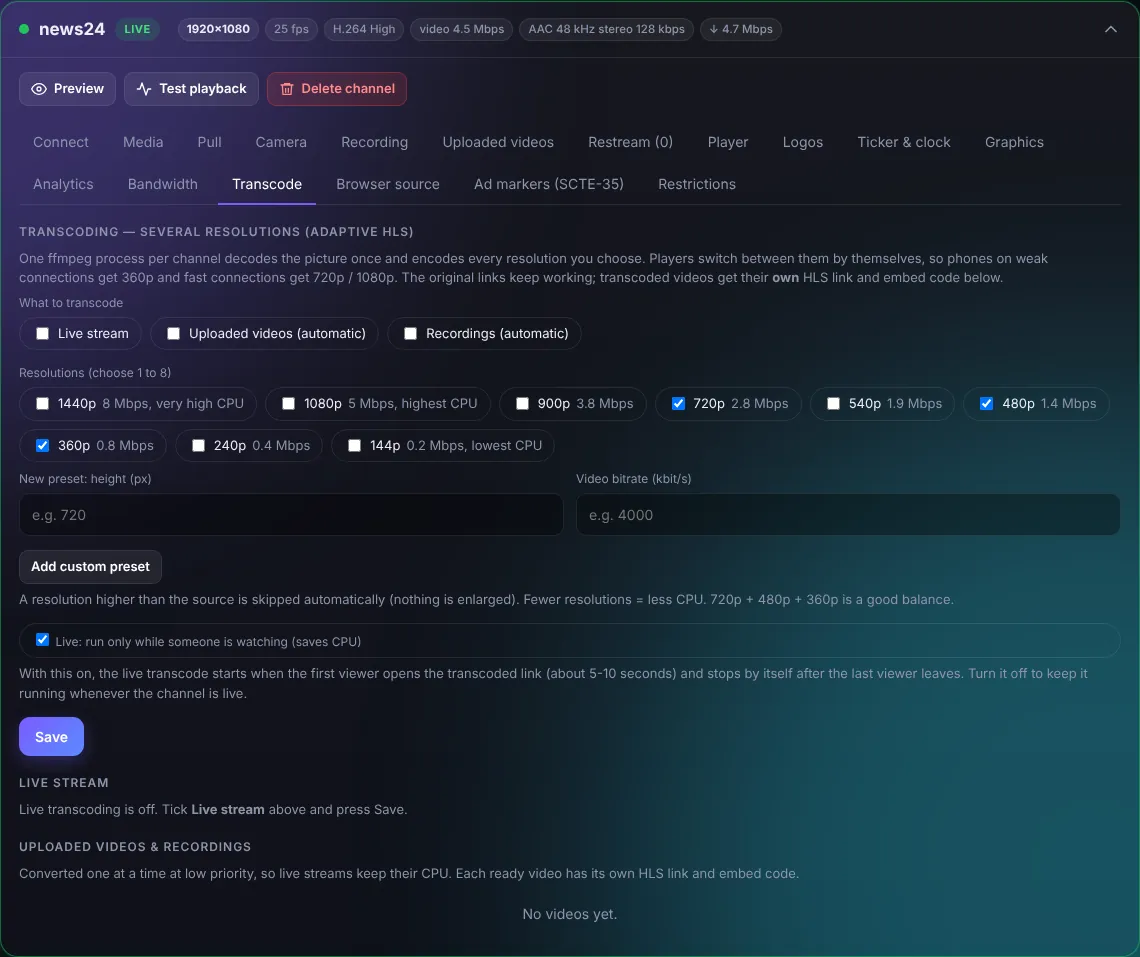
- Tick what to transcode: Live stream, Uploaded videos and/or Recordings.
- Choose resolutions (for example 720p + 480p + 360p).
- Save.
Players then switch quality by themselves. "Live: run only while someone is watching" saves CPU: transcoding starts when the first viewer opens the adaptive link and stops when the last one leaves.
TipEach live ladder of 3 resolutions uses about 1.5-2 CPU cores.
TRANSCODE_MAX_LIVE in update.sh limits how many run at the same time.