Home › Channels
Camera: a phone or webcam as the source
Go live from any browser, no app needed
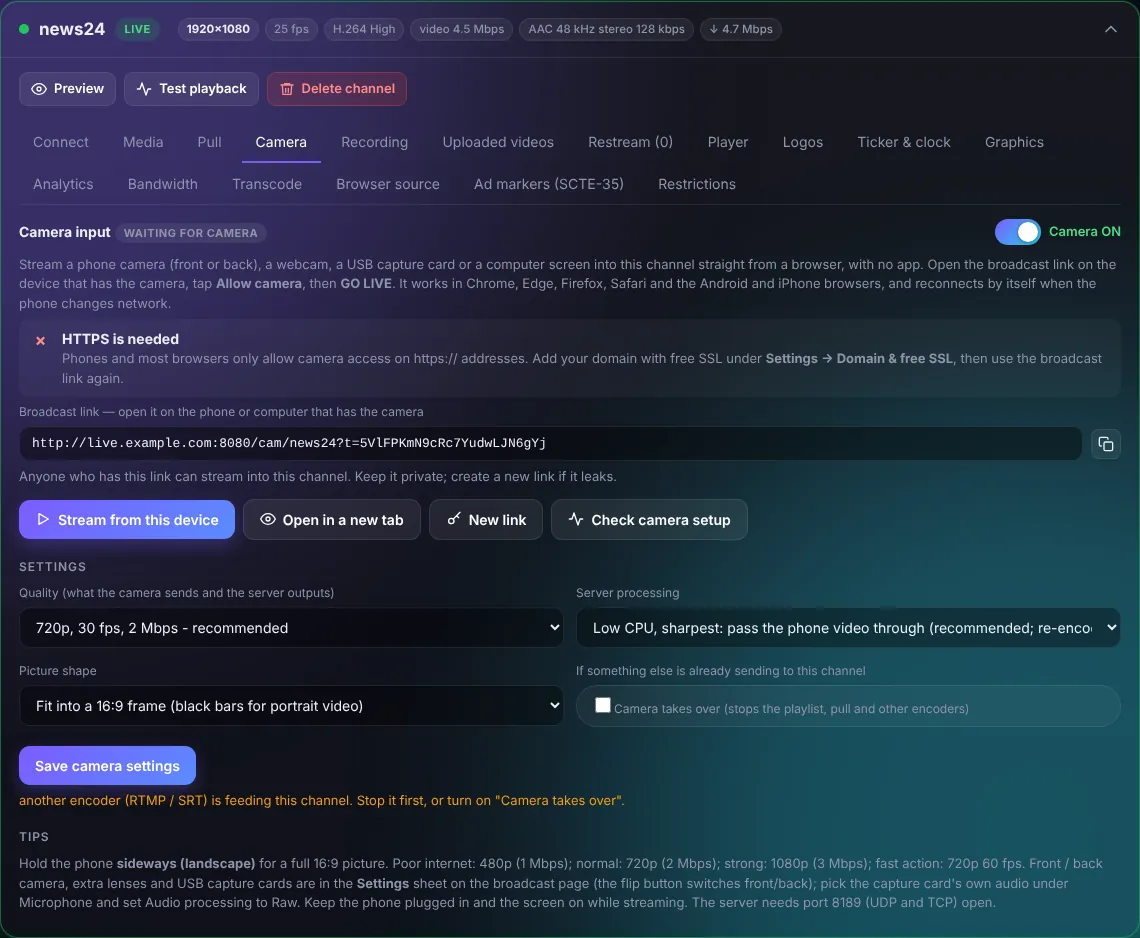
- Turn Camera ON.
- Open the broadcast link on the phone (or press Stream from this device on a computer with a webcam).
- Allow the camera and microphone and press GO LIVE.
The phone's back or front camera, a USB capture card or a webcam becomes the channel's source. It reconnects by itself if the phone changes network.
- Hold the phone sideways for a full 16:9 picture.
- Quality: 720p 2 Mbps is a good choice on mobile data; 1080p needs a fast connection.
- "Low CPU" passes the phone's video through without re-encoding.
TipBrowsers allow the camera only on https. Add your domain under Settings > Domain & free SSL first.