Home › Video conferencing
Breakout rooms
Split the meeting into smaller groups
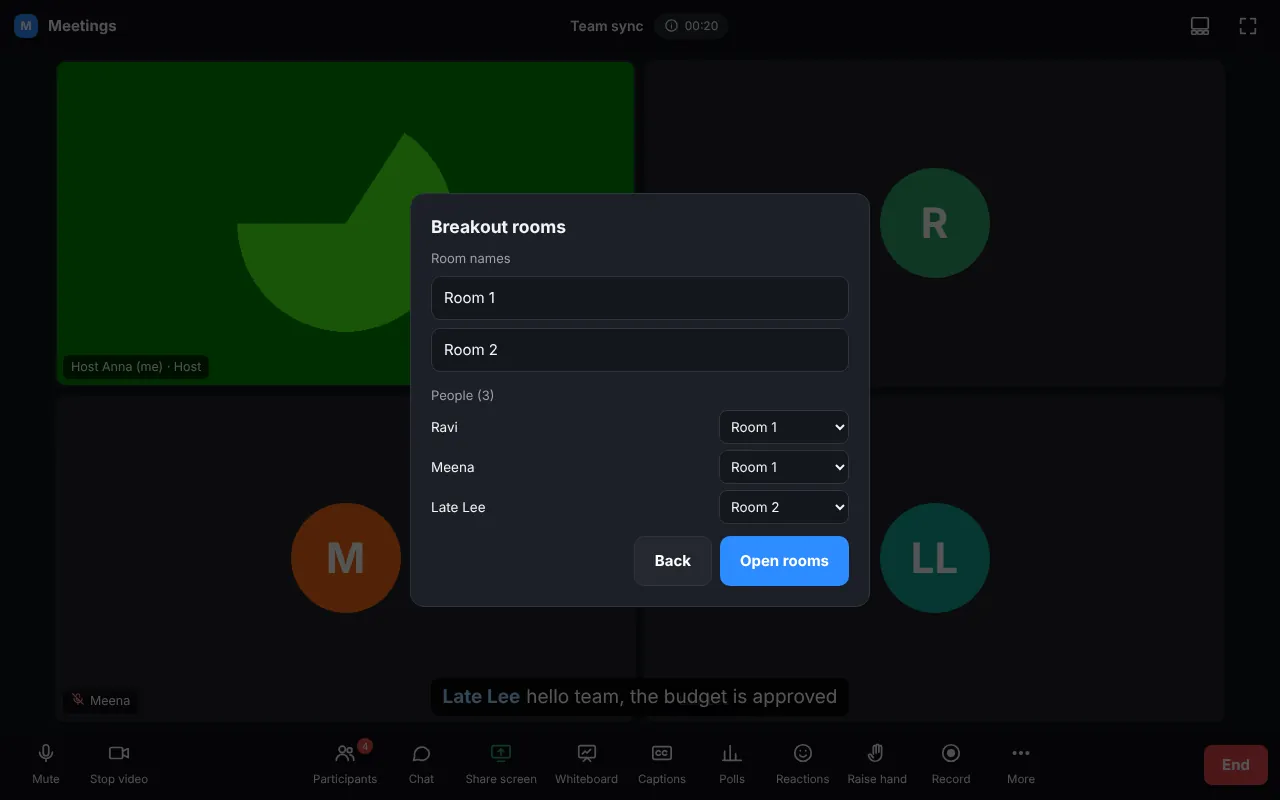
- Number of rooms; put people in automatically, one by one, or let them choose; optional time limit.
- Open rooms: people are invited and moved after 10 seconds.
- In a room people see the room name, time left, Leave room and Ask for help.
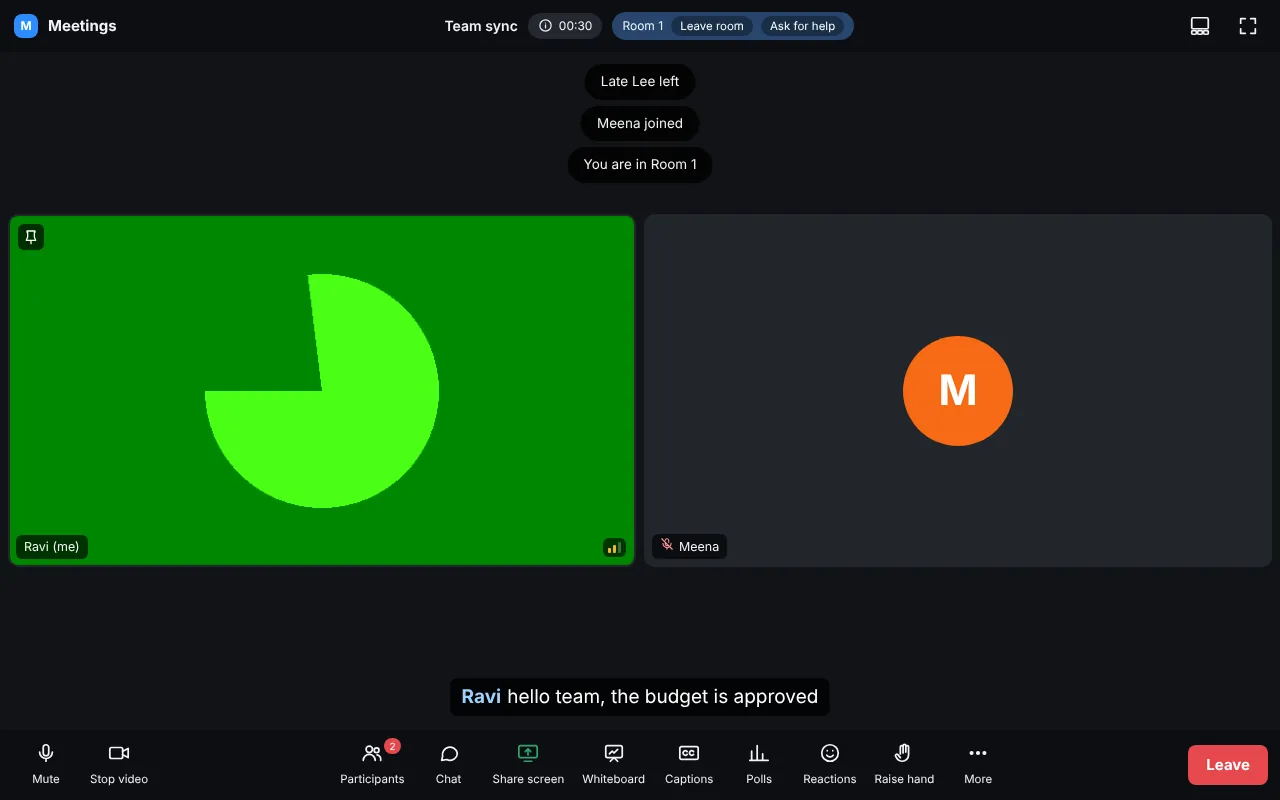
The host can join any room, message all rooms, and Close all rooms: everybody returns to the main meeting.