Home › Channels
Live stream details on the dashboard
Resolution, fps, codecs and bitrates of each live channel
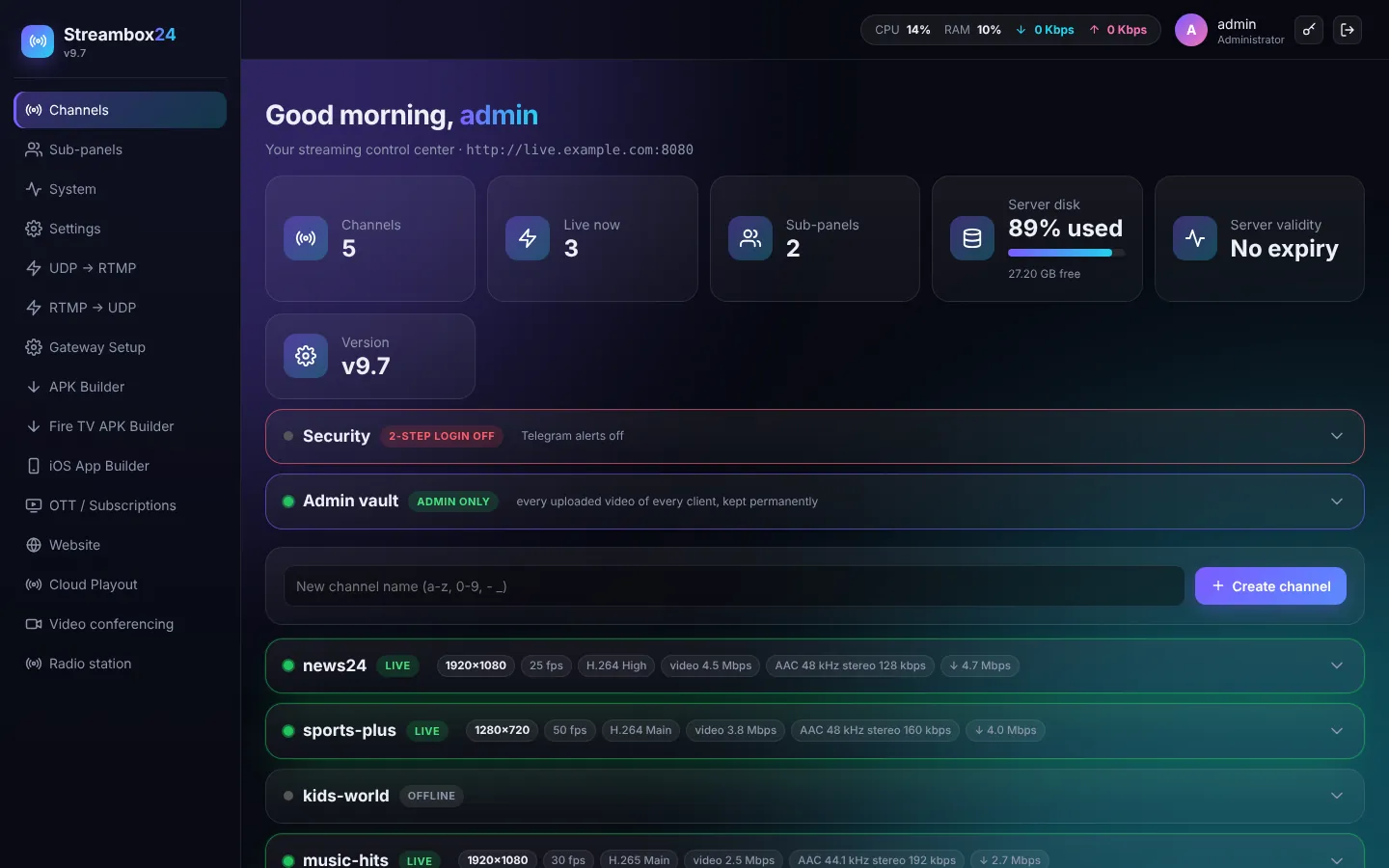
When a channel is live the dashboard shows what the server receives:
- Resolution (for example 1920x1080) and frames per second.
- Video codec and profile (H.264 High, H.265 ...) and video bitrate.
- Audio codec, sample rate, mono / stereo and audio bitrate.
- The total incoming bitrate (↓), updated every 10 seconds.
Use it to check an encoder at a glance: a 1080p stream at 25 fps with about 4-5 Mbps is a good broadcast setting; a dropping ↓ value means the encoder's internet is weak.