Home › Channels
Recording
Save every live stream as MP4 and/or HLS
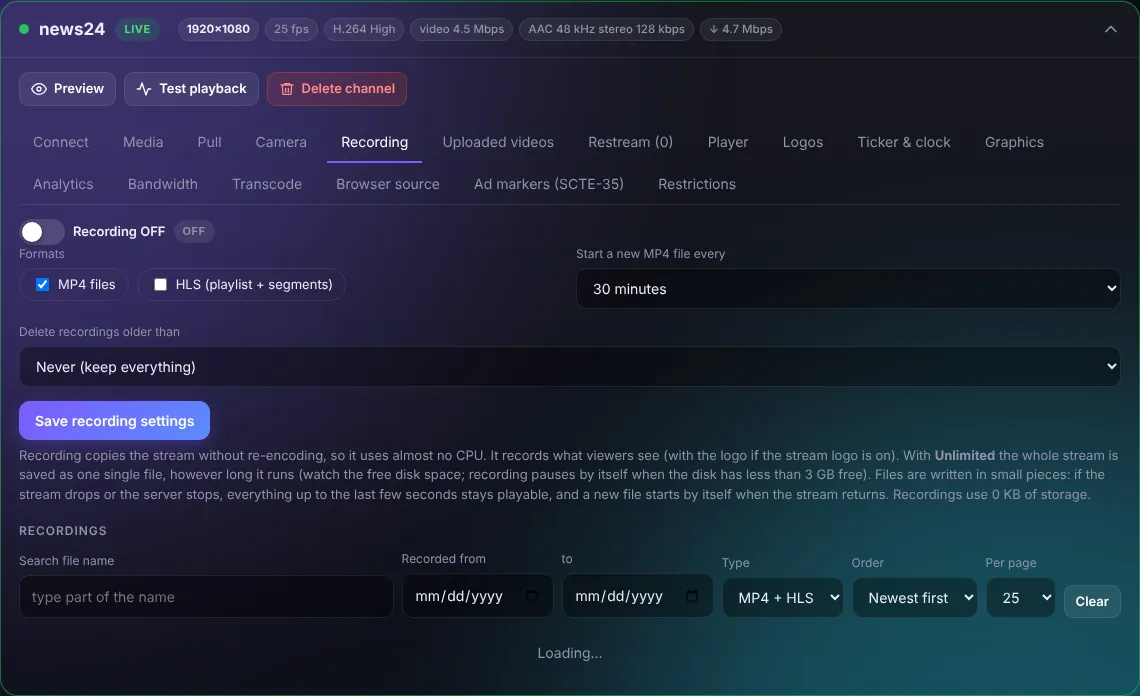
- Turn Recording ON.
- Choose formats: MP4 files (easy to download and edit) and/or HLS (playlist + segments).
- Start a new MP4 file every 15 min ... 2 hours, or Unlimited (one file per stream).
- Delete recordings older than: keeps the disk from filling up.
- Save recording settings.
Recording copies the stream without re-encoding, so it uses almost no CPU. Below, search recordings by name and date, play them, download them, make an embed code, or add them to the library.
TipRecording pauses by itself when the disk has less than 3 GB free. Watch the disk card on the dashboard.