Home › Channels
Pull an outside stream (RTSP, RTMP, HLS, SRT)
Bring an IP camera or another stream into a channel
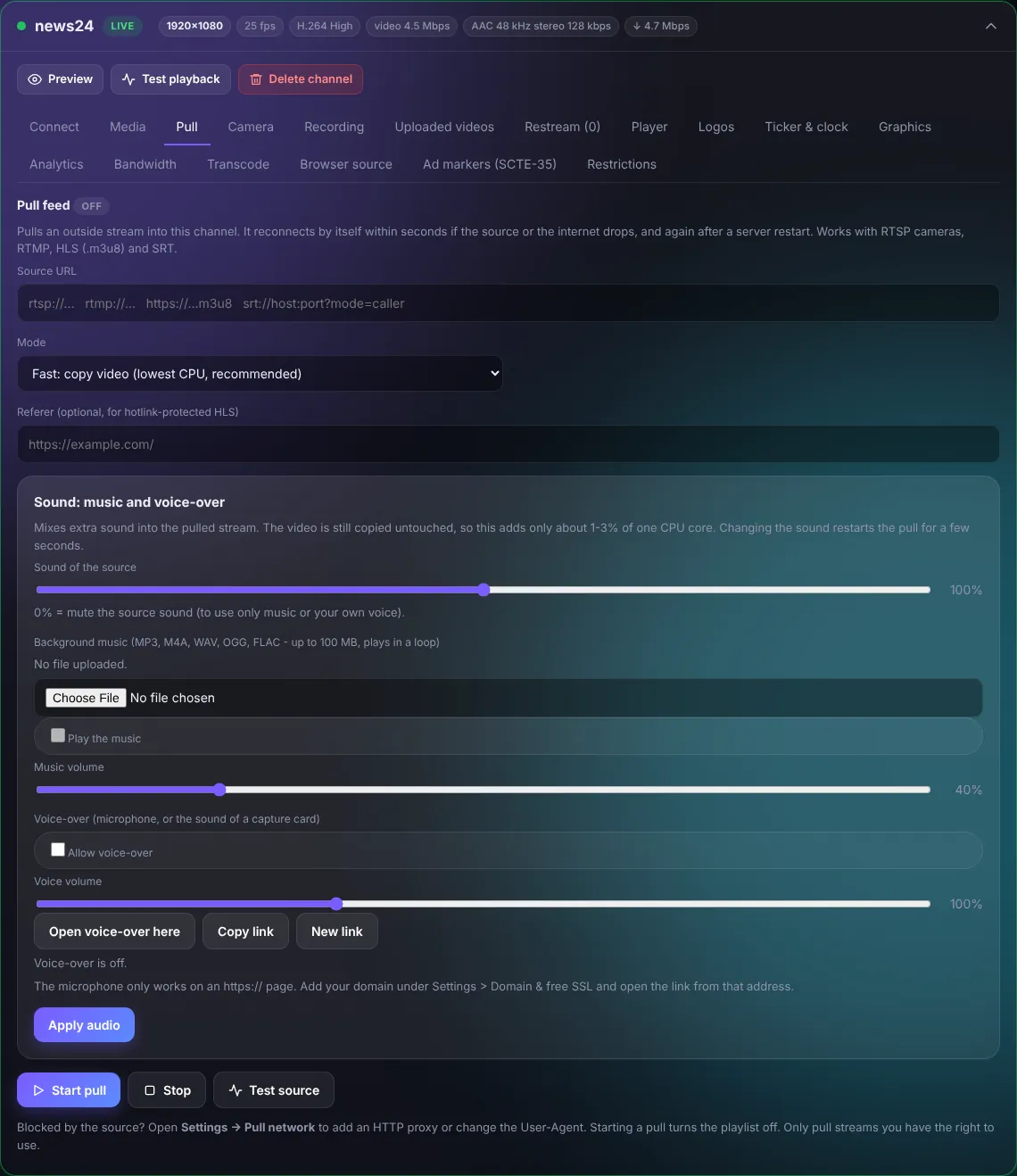
- Paste the Source URL:
rtsp://(IP cameras),rtmp://,https://...m3u8orsrt://. - Mode: Fast: copy video uses almost no CPU. Choose a re-encode mode only if the source does not play in browsers.
- Press Test source, then Start pull.
The pull reconnects by itself within seconds if the source or the internet drops, and after a server restart.
Music and voice-over
- Sound of the source: 0% mutes the original sound.
- Background music: upload an MP3 / M4A / WAV and it plays in a loop under the stream.
- Voice-over: allow it and open the voice-over link on a computer or phone with a microphone; your voice is mixed live into the channel. (Needs https.)
Press Apply audio after changing the sound.
TipBlocked by the source? Open Settings > Pull network to add an HTTP proxy or change the User-Agent. Only pull streams you have the right to use.