Media: videos, 24x7 playlist, fallback and schedule
Keep a channel on air without an encoder
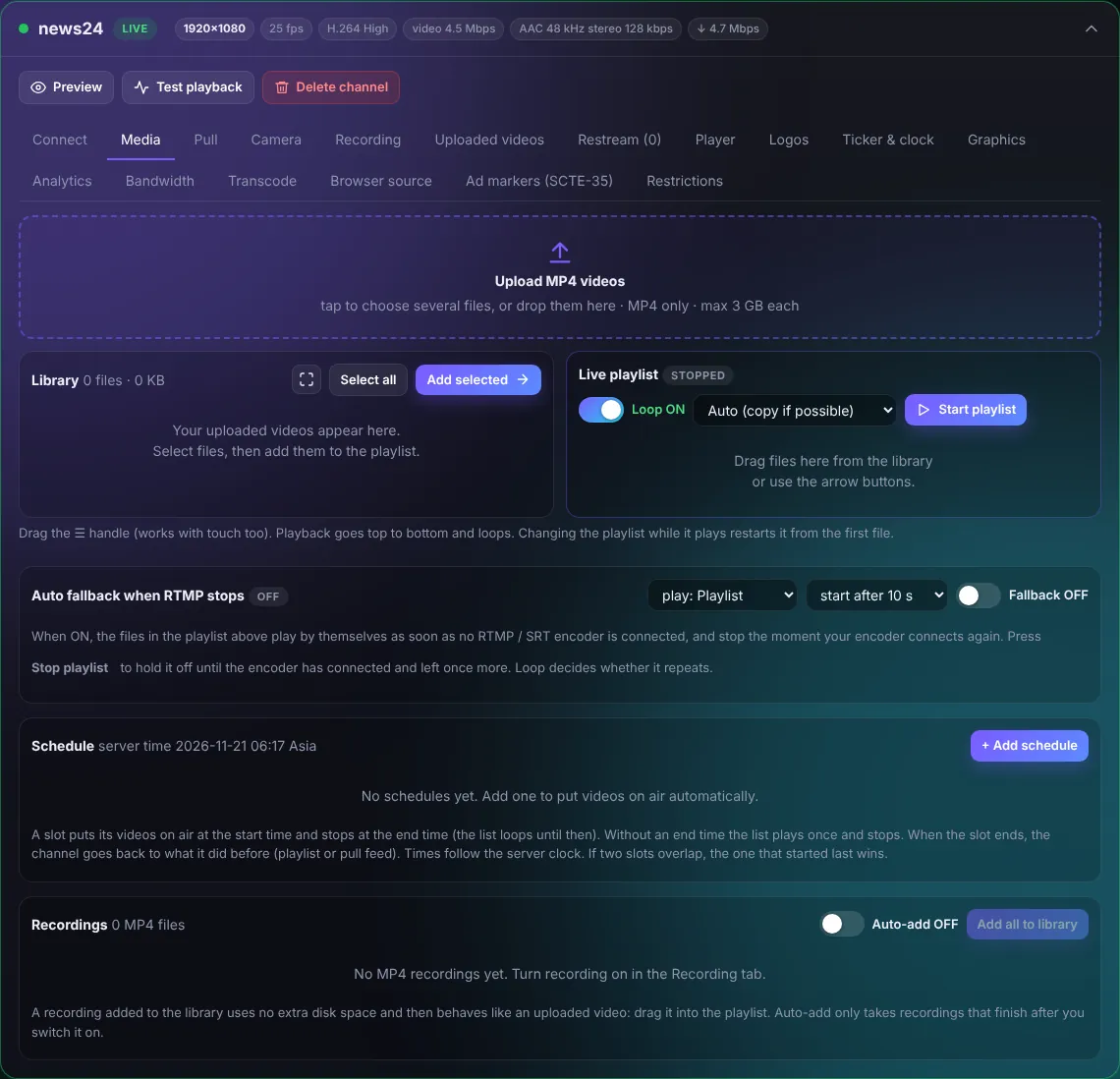
Upload videos
Press Upload MP4 videos or drop files on it (MP4, up to 3 GB each). Uploads are optimized automatically for smooth streaming.
Live playlist (24x7 channel)
- Select files in the Library and press Add selected (or drag them to the right).
- Put them in order with the handle.
- Keep Loop ON to repeat the list forever.
- Press Start playlist. The channel goes LIVE from the playlist.
Mode: Auto copies the video when possible (lowest CPU); "Always re-encode 1080p" makes mixed files play smoothly one after another.
Auto fallback when the encoder stops
Turn Fallback ON and choose what plays (Playlist or Recordings) and after how many seconds. When your encoder disconnects the playlist starts by itself, and stops the moment the encoder connects again. Viewers never see a black screen.
Schedule
Add schedule puts chosen videos on air at a start time and takes them off at the end time, every day or on chosen days. Times use the server time shown next to the title.
Recordings in the library
Recordings of this channel can be added to the library (no extra disk space) and played in the playlist like uploads. Auto-add does this for every new recording.